
WhisFai Meet
Secure meetings, right in your browser
Group meetings, a shared whiteboard, scheduling and guest links at meet.whisfai.com. Nothing to install, for you or your guests. It runs on your WhisFai account, so if you use the app you already have one.
Paste the link or type the code. No account, nothing to install.
How a meeting works
- 1
Sign in with your WhisFai account
The same username or email and password as the app. New here? Creating an account takes a minute.
- 2
Start or schedule a meeting
Call your connections straight away, or put a meeting on the calendar with reminders for everyone.
- 3
Share a guest link
Anyone can join from a modern browser, with no account and no download. You decide who comes in.
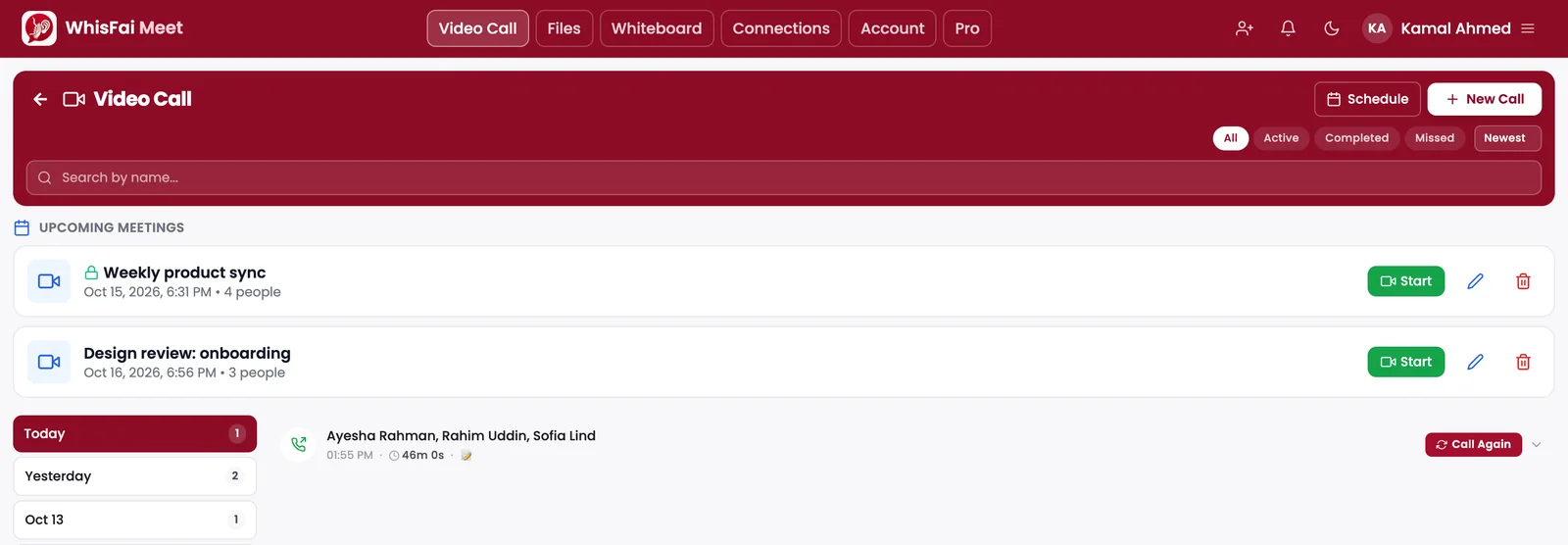
Your meetings: what is coming up, and every call before it.
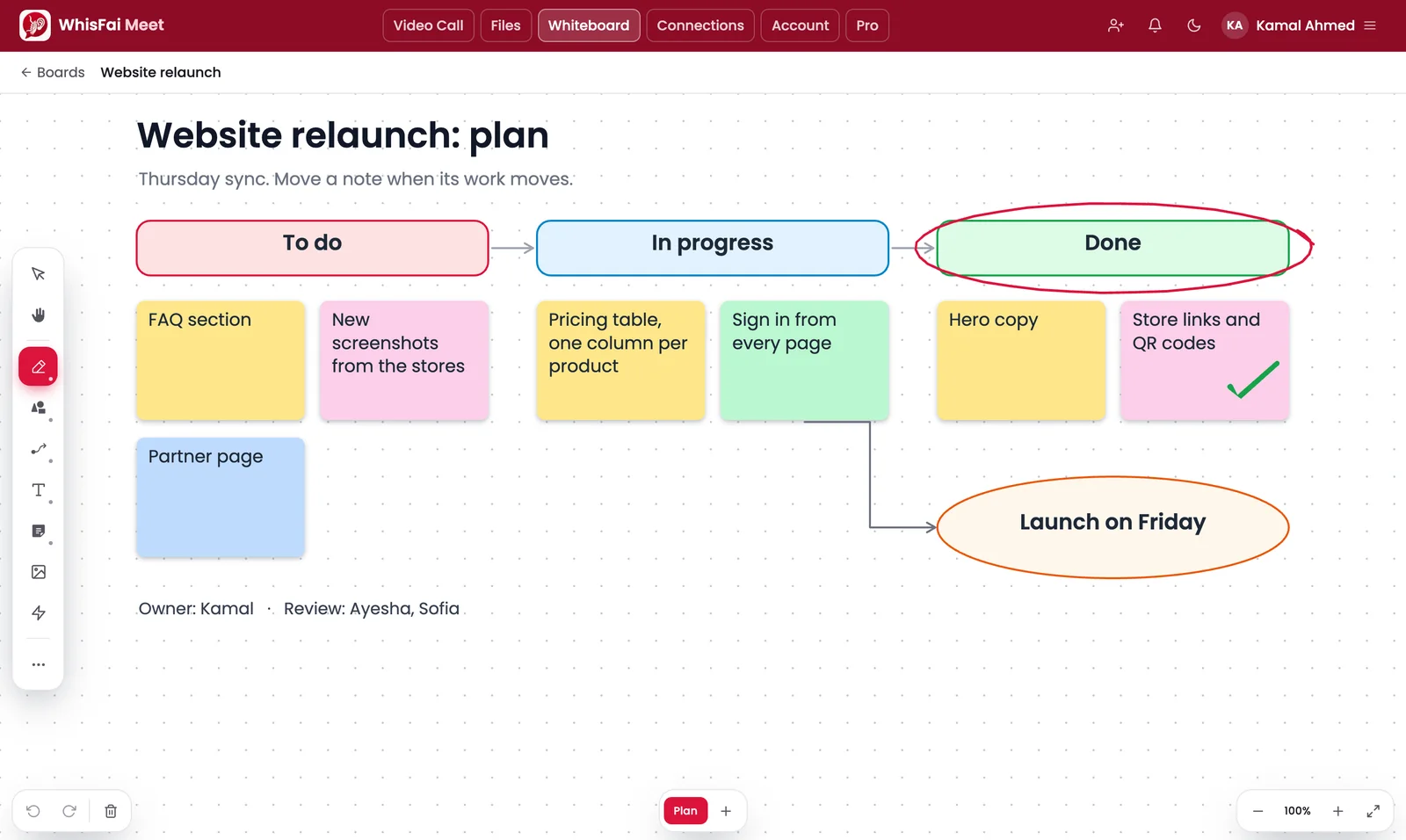
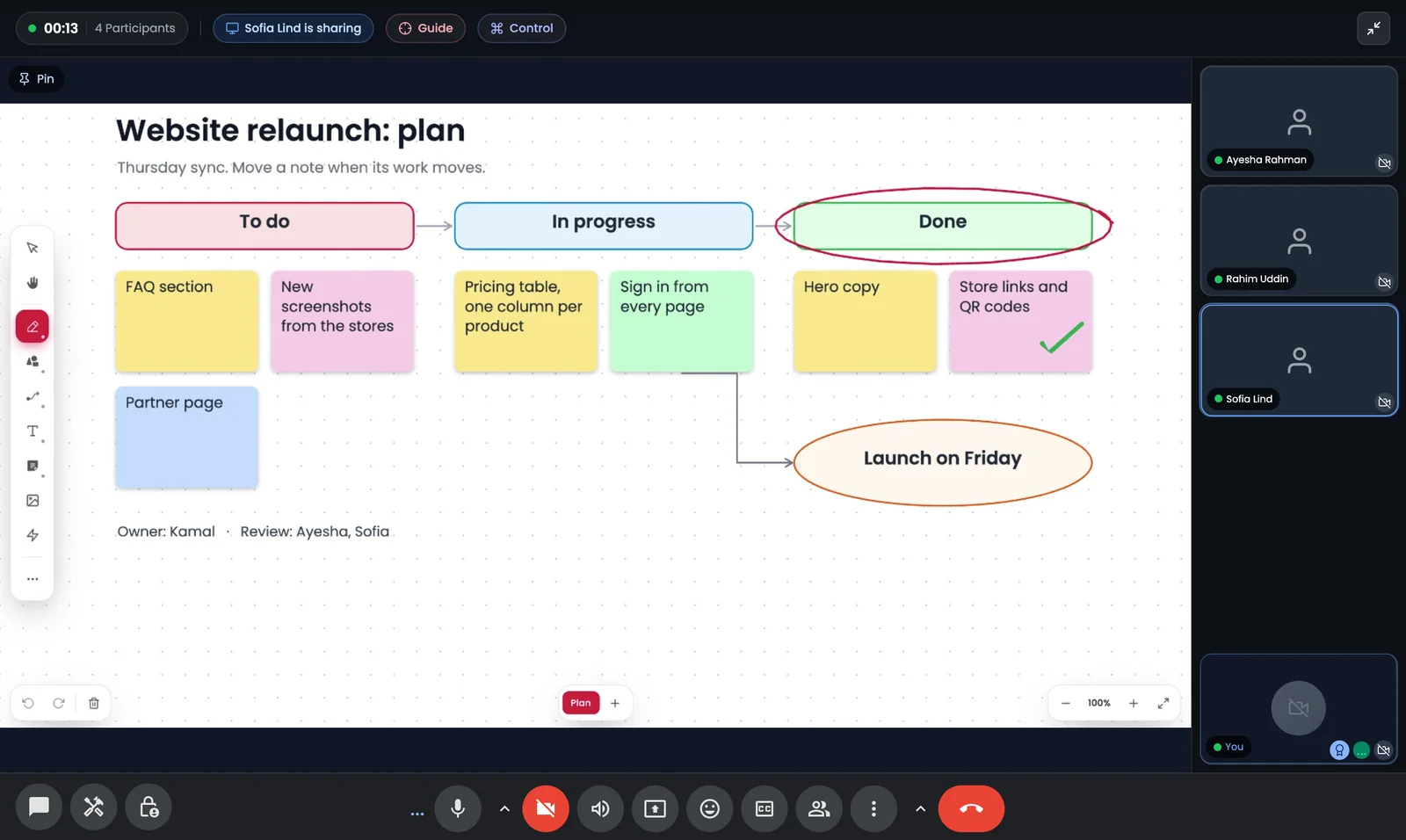
A whiteboard, in a meeting or on its own.
Everything you need in a meeting
Everything below is on every plan unless it is marked Pro.
Group Meetings
Meet in your browser, with screen sharing for everyone. Free meetings are voice meetings of up to 4 people for 40 minutes; Pro meetings hold 10 people with video and no time limit.
Guest Links and a Waiting Room
Invite anyone with a link, or a 9-character code they can read out loud. Guests join from any browser, with no account, and wait until you let them in.
End-to-End Encrypted Meetings
Turn it on when you start or schedule a meeting: audio, video and screen shares are encrypted in each browser under a key our servers never hold, and the key is replaced when someone is removed. Chat, the whiteboard and files are stored as in any meeting.
Collaborative Whiteboard
Draw, add notes, shapes and connectors, and present a multi-page board, in a meeting or on its own, with PNG and PDF export.
1:1 Calls with Your Connections
Call the people you are connected with. Voice is unlimited; video uses the same 120 minutes a month as the app on Free, and is unlimited on Pro.
Scheduled Meetings
Plan ahead with participants and co-hosts. Everyone gets an invite and a reminder before the meeting starts.
Chat, Files, Polls and Q&A
Message and share documents while you talk, ask the room a question, and take questions in turn. Shared files land in a library you can reopen after the call.
Moderation and Backstage
Promote co-hosts, mute or remove participants, hand the host role on, and keep speakers backstage until they are ready to go on.
Screen Sharing with Guided Assist
Share a screen with its sound, and point or draw on a shared screen to guide someone through it. Pro shares up to three screens at once, a second screen of your own included.
Remote Control, with Consent
For support sessions: a moderator can control a participant's computer once they allow it and run the WhisFai Remote Agent, and they can stop it at any moment.
Backgrounds and Reactions
Blur your background or choose one, and react without unmuting.
Breakout Rooms
Split a meeting into named rooms, visit them as the host, and bring everyone back.
Meeting Recording
Record a meeting to your own computer, or straight into the meeting's files.
Live Transcription and AI Notes
Turn a meeting into a transcript, a summary and action items. Audio is transcribed by an AI provider; the privacy policy names it.
Your Phone as a Second Camera
Scan a QR code and your phone becomes another camera angle in the meeting, with no app to install.
Free to start. Pro for $4.99 a month.
Every new account starts with 30 days of Pro, no card needed. One subscription covers Meet and the WhisFai app.
Pro also unlocks the app's Pro features. Compare both products
Same account, a different product
Your WhisFai account and subscription work in Meet. Meet is a meeting tool, though, not the messenger: what it keeps is not what the app keeps.
- A meeting passes through our media server, which can process its audio and video, unless you start it as an end-to-end encrypted meeting.
- In an end-to-end encrypted meeting, the key reaches everyone the host or a moderator admits, and it is replaced when they remove someone.
- Recordings, transcripts, AI notes, in-meeting chat, the whiteboard and shared files are stored on our servers until they are deleted.
- Live transcription and AI notes send the meeting's audio and transcript to an AI provider.
- A guest gives a display name, which the host keeps as a record of who was admitted.
Meet inside your own product
The Partner API lets your service start Meet calls for its own users, with your sign-in and your rules about who may call whom.
Ready for your first meeting?
Sign in with your WhisFai account, or create one in a minute.
Invited to a meeting? Join with the link or code